MRF Fleet Management Portal
See where every vehicle is in real time, review historical tracks, assign destinations, generate routes and look up addresses, and manage tracking devices, users and vehicles, all in one role-based portal.
The MRF Fleet Management Portal is the professional workspace of the MRF Vehicle Tracking Solution. It lets users view the real-time locations of their vehicles, review historical tracks, assign destinations, generate routes and look up addresses, and manage tracking devices, users and vehicles through a role-based platform.
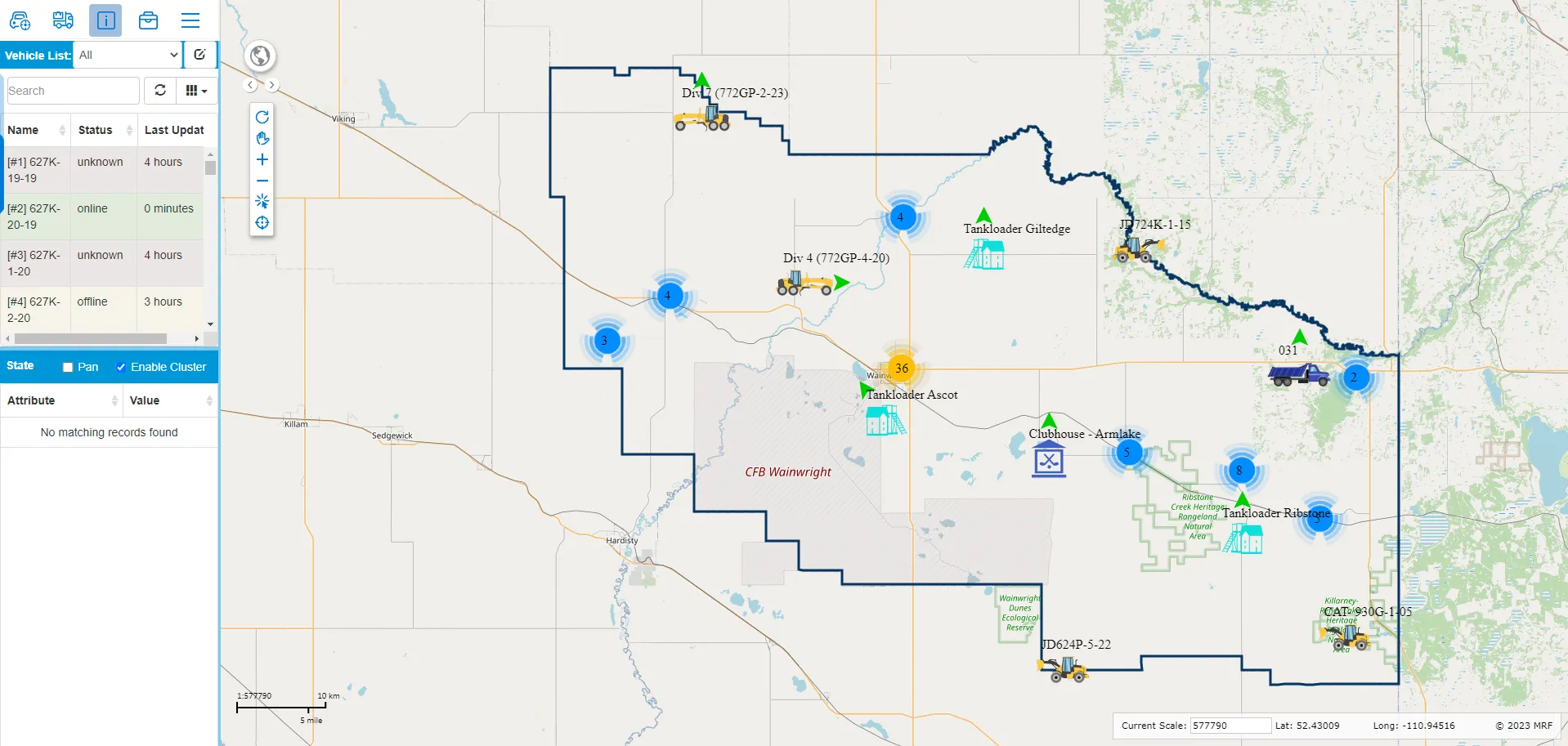
- Real-time vehicle locations displayed directly on the MRF Web Map alongside your organization’s operational layers.
- Advanced spatial search tools for exploring detailed vehicle history and movement patterns.
- Robust reporting tools that transform tracking data into clear and meaningful information.
The portal can integrate with MRF Safety, MRF Vehicle Inspection and other operational workflows, creating a unified and flexible fleet management environment.
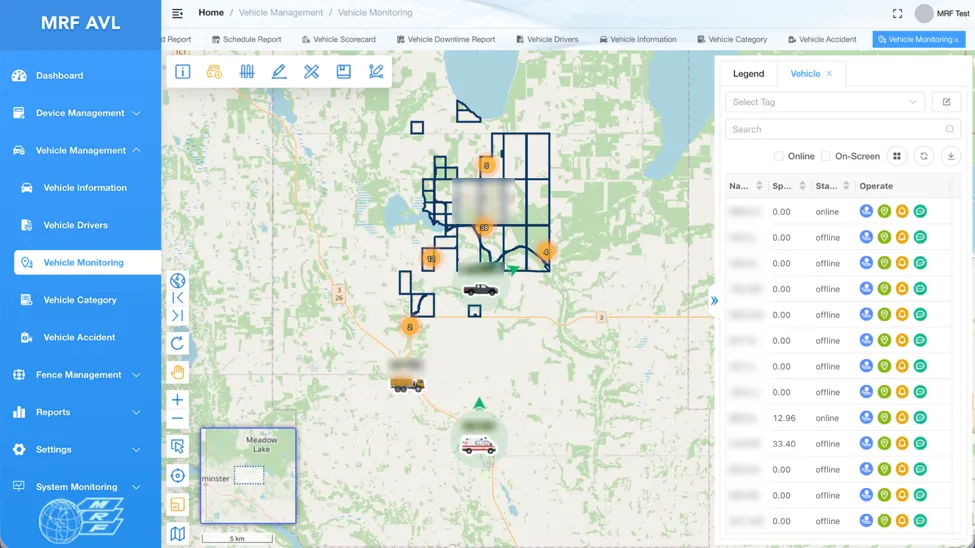
Above: Vehicle Monitoring shows live positions on the map with a searchable vehicle list.
What you can do with MRF Fleet Management Portal
Real-time vehicle locations
Live positions displayed directly on the MRF Web Map, alongside your organization's operational layers.
Historical tracks
Advanced spatial search tools for exploring detailed vehicle history and movement patterns.
Destinations, routes and addresses
Assign destinations to vehicles, generate routes and look up addresses without leaving the portal.
Reports that make sense
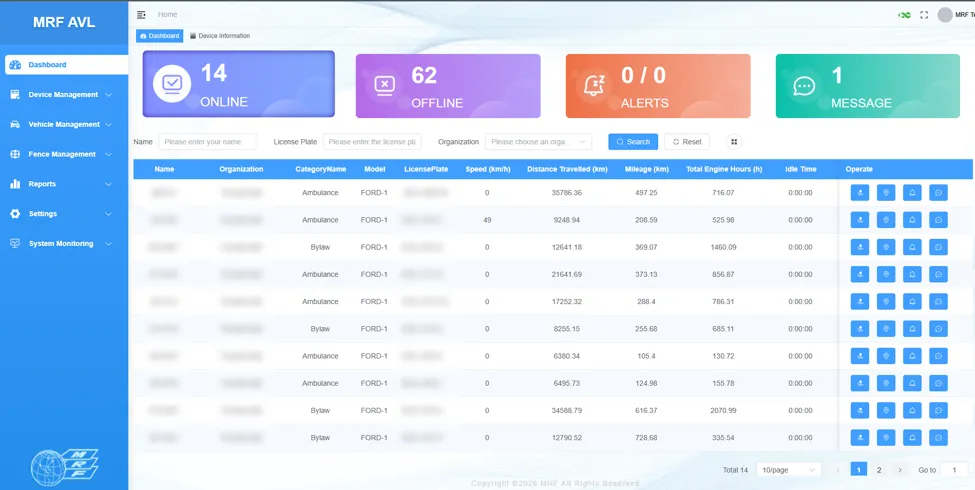
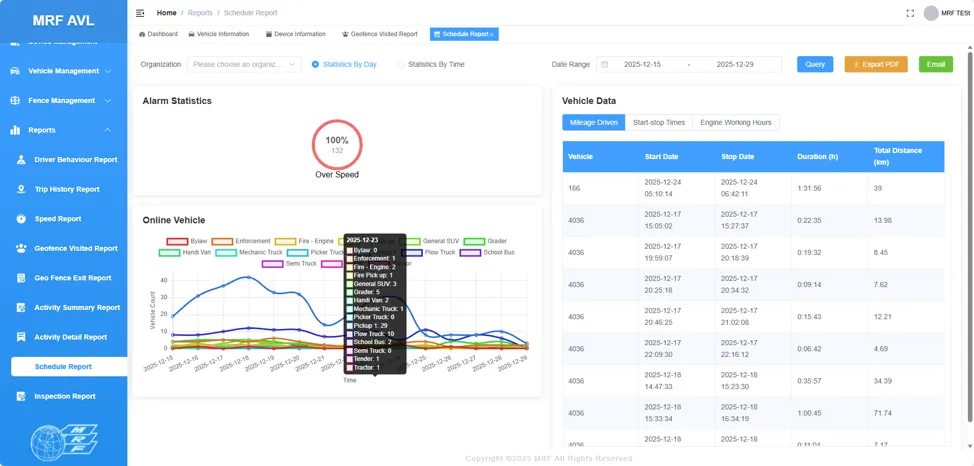
Robust reporting tools turn tracking data into clear, meaningful information, from mileage and engine hours to alarms and online vehicles.
Devices, users and vehicles
Manage tracking devices, users and vehicles in one place, organized by organization and category.
Role-based access
Each user sees and manages only what their role allows.
A closer look
Works well with
MRF Vehicle Tracking Module
Simple, real-time vehicle tracking built into MRF Web Map.
Learn more →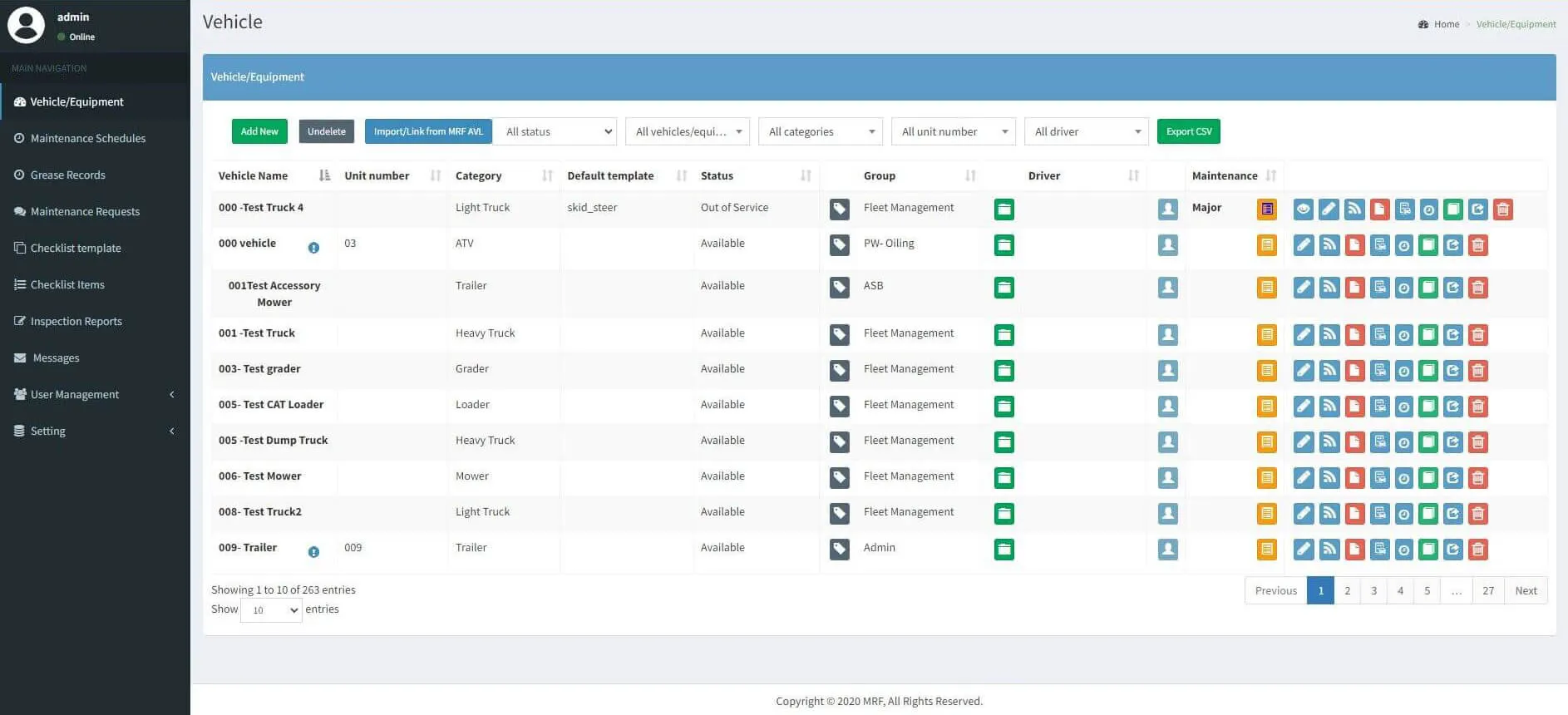
MRF Vehicle Inspection
Pre-trip inspections and maintenance requests for your whole fleet.
Learn more →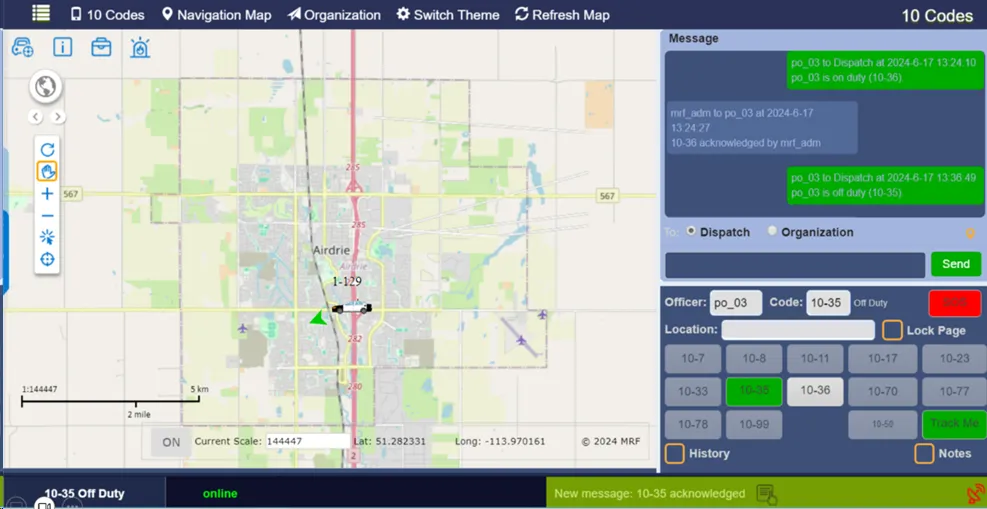
MRF Safety Pro
An advanced, professional-grade safety system for officers, responders and their vehicles.
Learn more →
See it working with your own data.
Book a demo and we’ll walk you through the products that fit your departments, configured for organizations like yours.